
What Happens When Employees Click on a Phishing Link?
Overview
If you click on a phishing link during a simulation, don't worry - this is a learning opportunity! Our platform automatically detects the click and guides you through immediate training to help you recognize similar threats in the future.
The Follow-Up Process
1. Immediate Detection
As soon as an employee clicks on a phishing link in a test email, our system instantly registers the action and redirects them to a secure training page.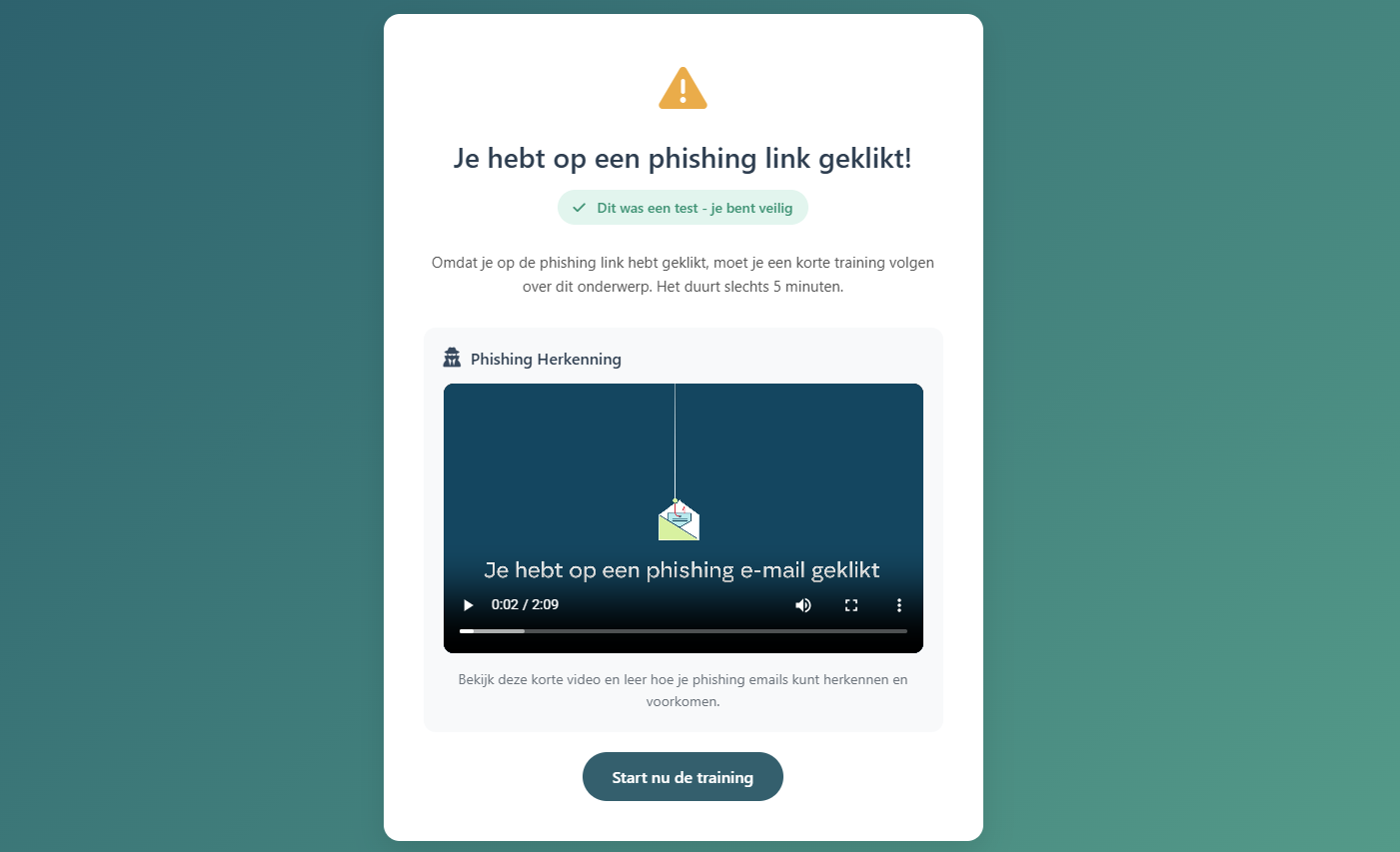
2. Safety Confirmation
They see a clear message confirming:
- "You clicked on a phishing link!"
- A green badge stating "This was a test - you're safe"
This reassures that no harm was done while making them aware of the simulated threat.
3. Mandatory Micro-Training
Employees are required to complete a short 5-minute training module about the specific phishing technique they encountered. This just-in-time training includes:
- Video explanation: A brief video (typically 2-3 minutes) that breaks down the phishing email you clicked on
- Recognition tips: How to identify similar phishing attempts in the future
- Best practices: What to do when you receive suspicious emails
4. Training Completion
Employees click the "Start the training" button to begin their micro-learning session.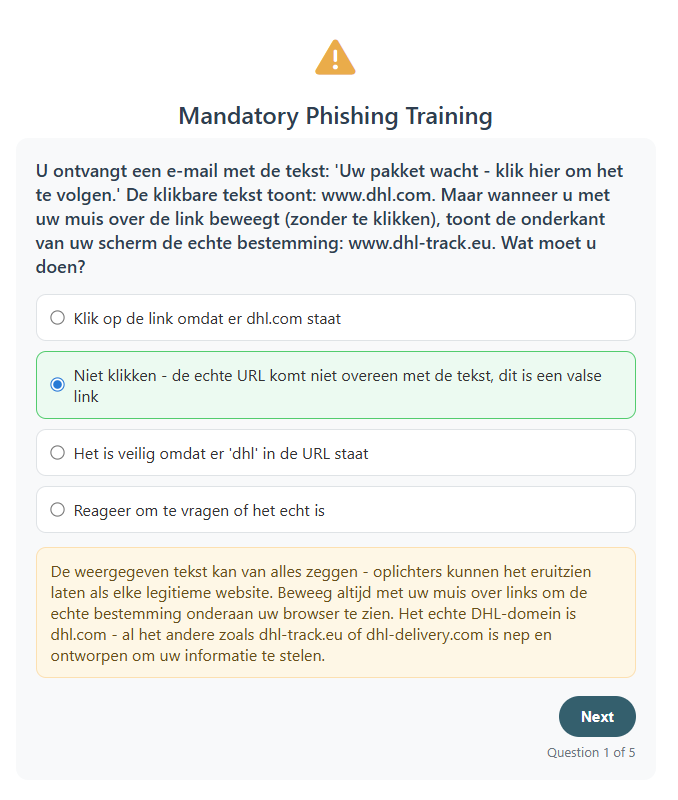
Why This Approach Works
Immediate feedback: Learning happens at the moment of the mistake, making it more memorable and effective.
Brief and focused: The 5-minute format respects their time while delivering essential knowledge.
What Gets Reported
Your click is recorded in our reporting dashboard, and when training is finished, you will also be able to see that in the dashbaord.
The follow-up is multilanguage.