
Connecting your Google Workspace to Lupasafe allows you to automatically synchronize user data for cybersecurity awareness training. This integration provides read-only access to user information, ensuring your data remains secure while enabling automated user management.
Prerequisites
- Portal access to your Lupasafe account
- Google Workspace administrator credentials
Step-by-Step Instructions
Step 1: Access the Integration Settings
- Navigate to the Progress section in your Lupasafe dashboard
- Click Add – Google Workspace
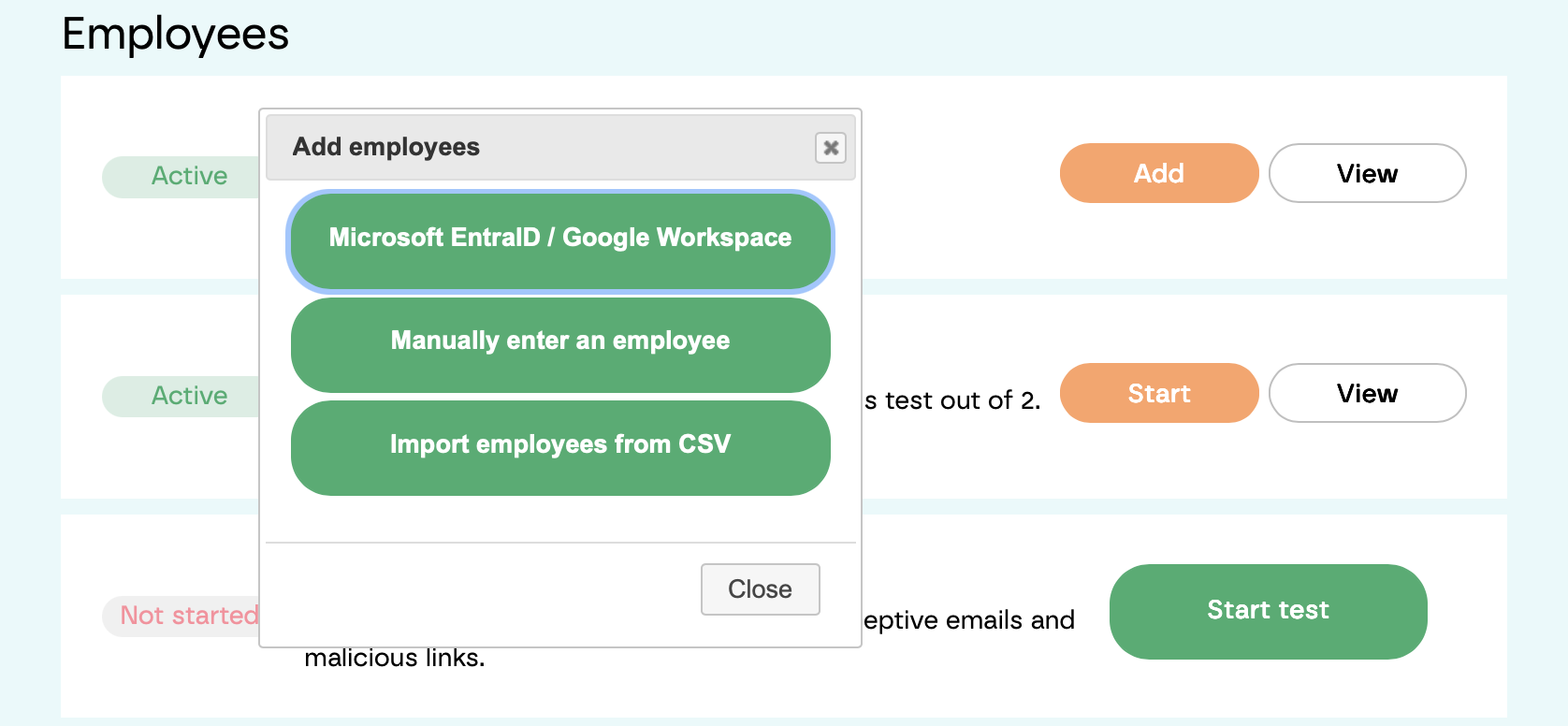
Step 2: Enable the Integration
- Click Enable Google Workspace
- You will be redirected to Google's authentication page

Step 3: Authenticate with Google
- Select the Google Workspace account you want to connect
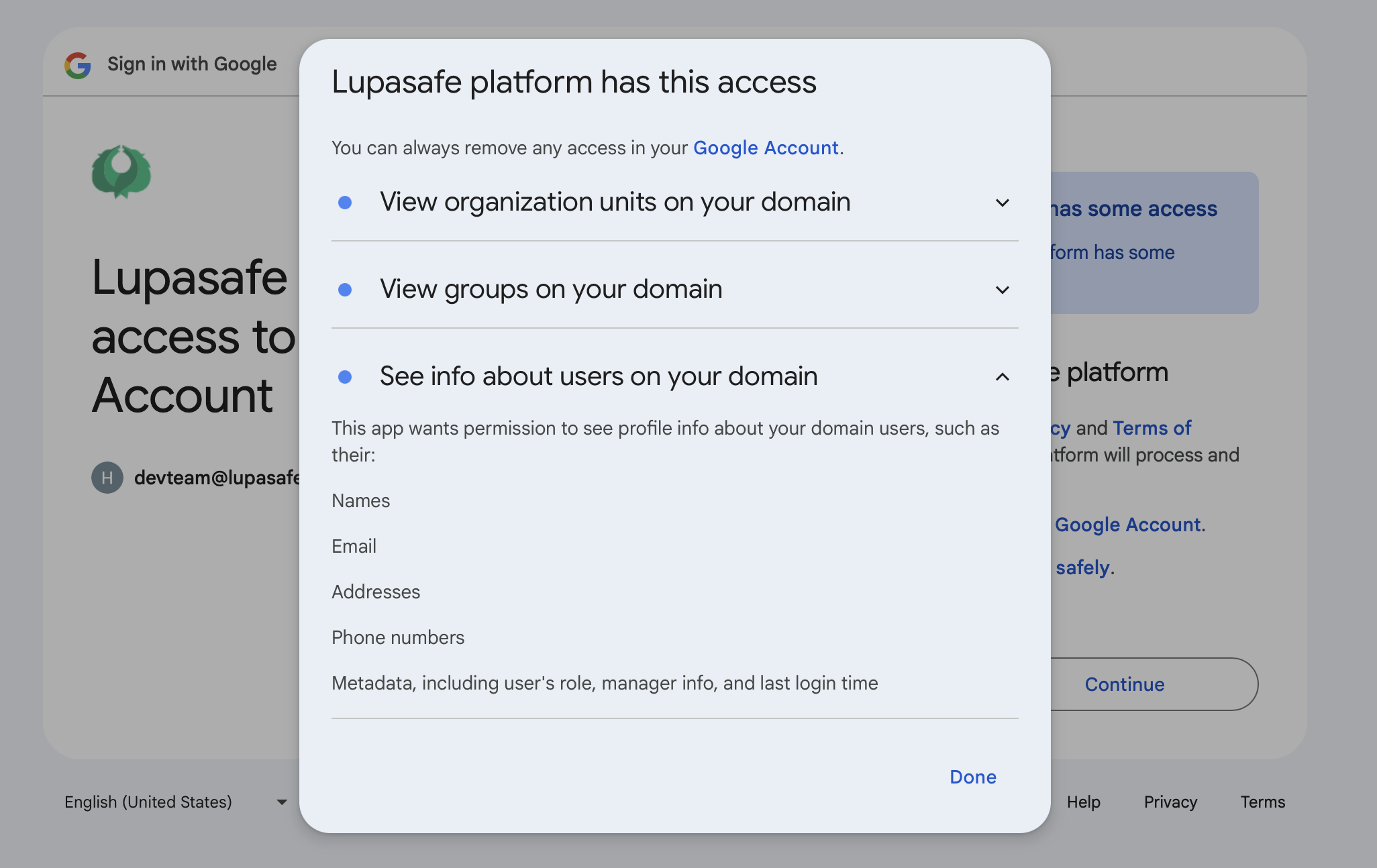
- Review the permissions requested by Lupasafe
- These permissions allow read-only access to user data for training purposes
- Click Done to grant the necessary permissions
Step 4: Confirmation
Once authentication is complete, you will see the message: "Success! Google Workspace integration enabled successfully."
Your Google Workspace is now connected to Lupasafe, and user data will automatically sync for cybersecurity awareness training.